Table bookings for restaurants
Table bookings that don't eat your time.
All your bookings in one place. Guests book online themselves.
Bistro Tabloo (demo)
Book a table
Available times

Try it: pick a time and book. Nothing is saved.
Up and running in three steps
1.
Create account
Register your restaurant. It takes about 10 minutes.
2.
Add your tables
Add your tables and opening hours. If you have used a booking system before, you can import your old bookings as a CSV file.
3.
Switch the link
Update the booking link on your Google Business Profile, website and social media. The admin has a ready guide for Google's Reserve a table button. Done.
We can add your tables and import your old bookings for you if you like. We reply the same day.
Main features
No phone ringing mid-service
Your own booking page and embed
Guests book straight from your restaurant's page or from a form embedded on your website, in Finnish or English. Confirmations and reminders go out by email.
No double bookings
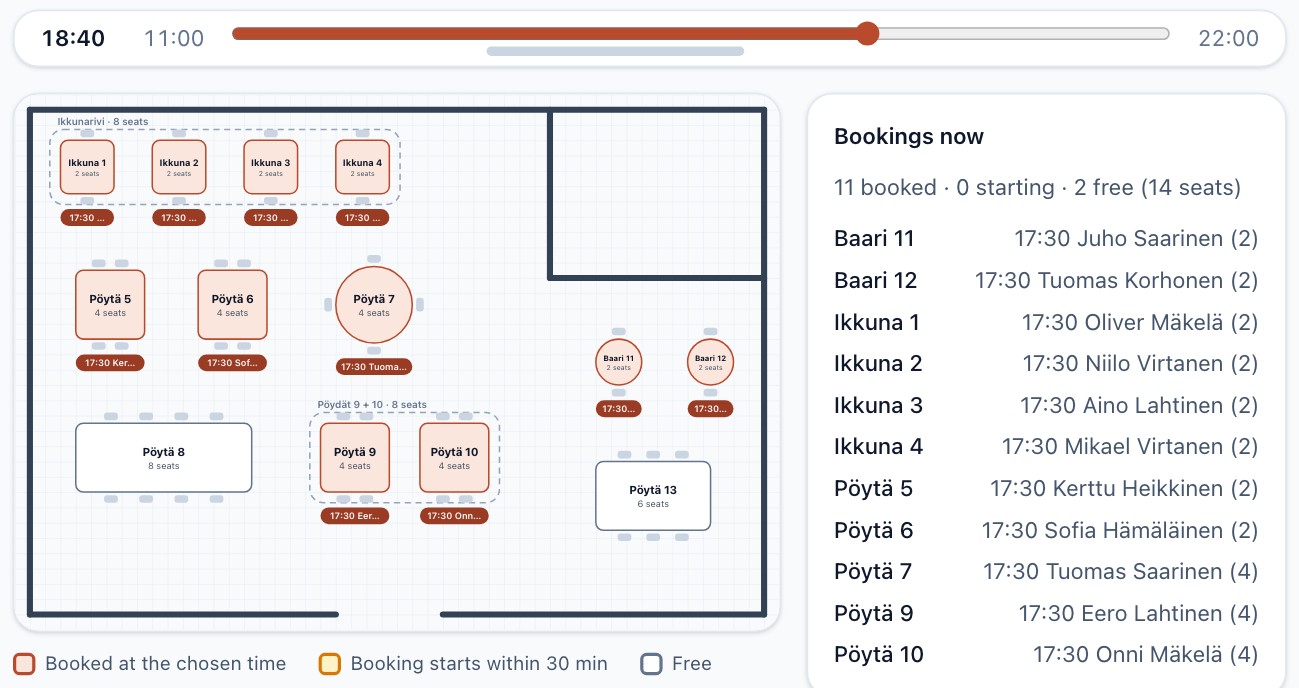
Floor plan
Draw your dining rooms, terraces and floors. Move tables with the mouse, join and split tables, and see your bookings at any time of day.
Bring your old bookings
Easy switch
Import upcoming bookings and guest history as a CSV file, and see in a preview what moves over before importing. We can do the import for you, and you can export your own data as a CSV file at any time.
Price
€39/month
- No commission on bookings
- No setup fee
- No fixed term, cancel at any time
- Unlimited bookings and users
- Booking is always free for your guests
First month free
Everything a restaurant needs
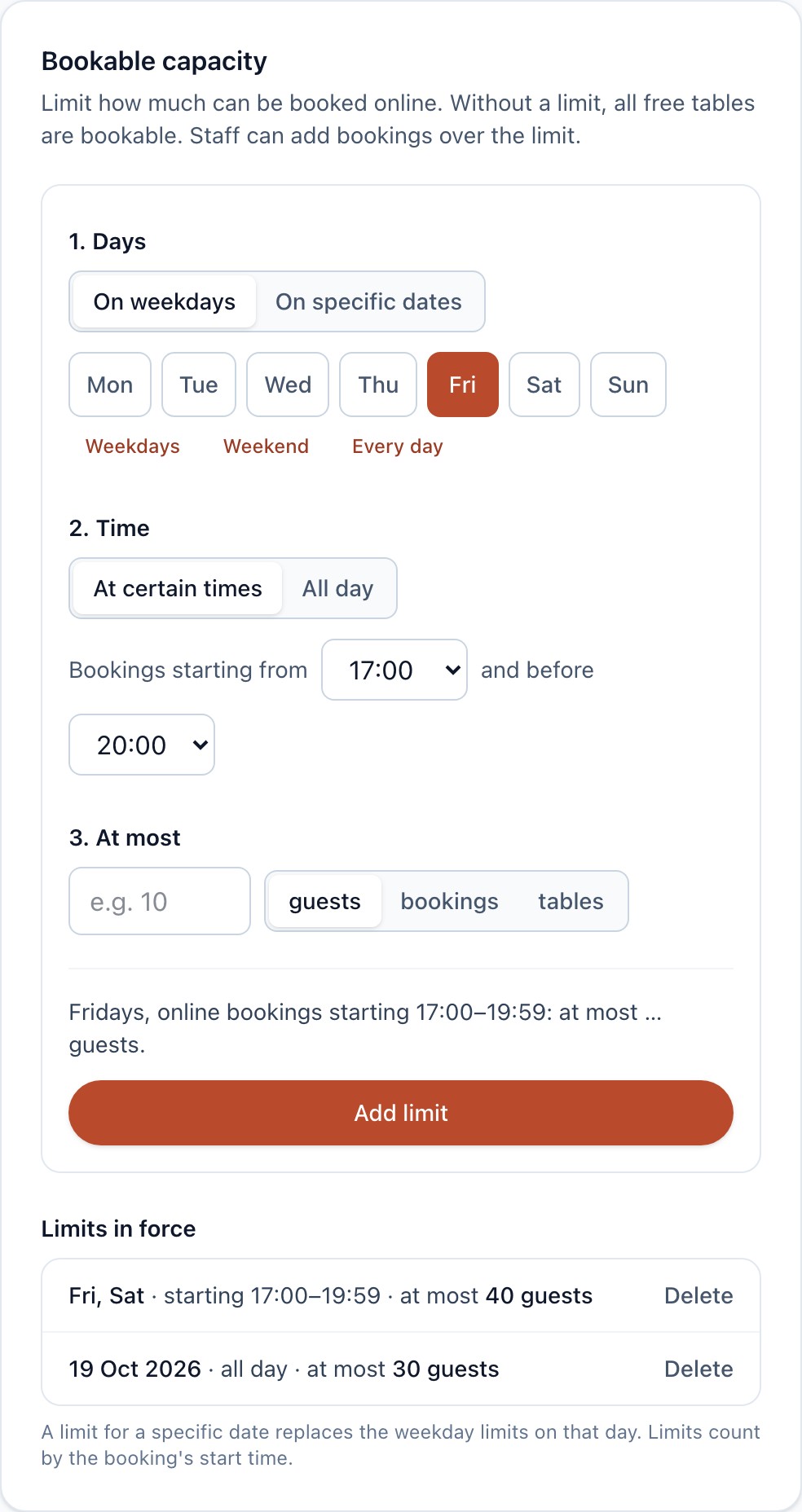
You decide the capacity
Opening hours, booking length and online booking limits by weekday or for specific dates.
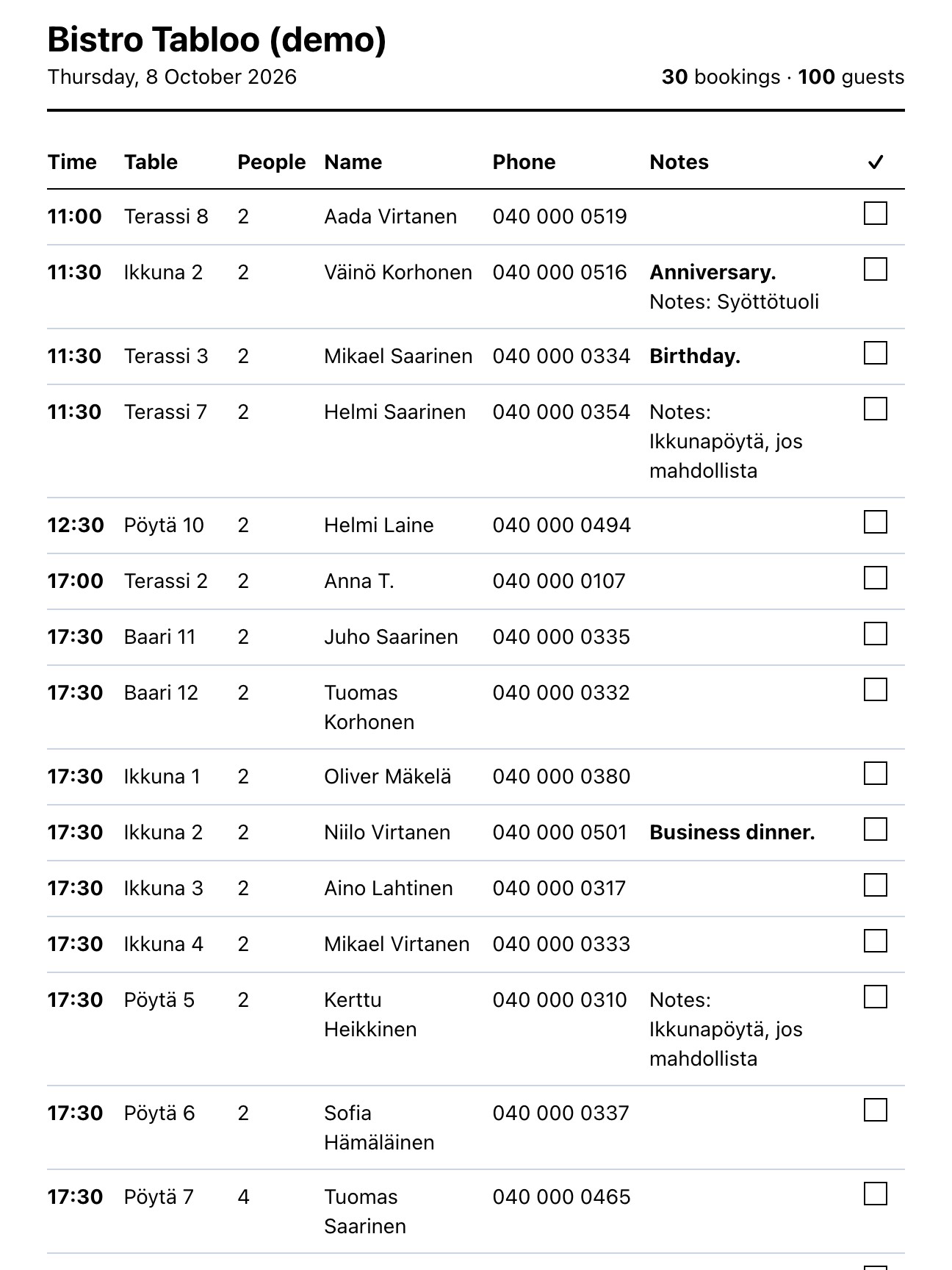
Booking calendar and team
Phone and walk-in bookings, a guest register, marking arrivals and separate logins for your staff.
Waitlist when you're fully booked
When a time becomes free, it is offered to the first on the waitlist automatically.
Reviews from real visits
Only a guest who actually visited can leave a review.
Open API
Bookings from other services connect to Tabloo through a ready-made API.
Your own brand
Your logo, accent colour and signature show on the booking page and in every message.
Reminders
The confirmation and reminder go to the guest by email automatically.
This is what the admin looks like
Opens in a demo restaurant without logging in. Changes are not saved.
Frequently asked questions
›What does Tabloo cost?
€39 a month, no commission and no fixed term. First month free.
›How quickly can I get started?
The same day. Creating an account takes about 10 minutes, and we can add your tables for you once you tell us how many there are and their sizes. If you have used a booking system before, we also import your old bookings.
›Does booking cost the guest anything?
No. Booking is always free for your guests.
›Do I need to install anything?
No. Tabloo works in the browser on a computer, tablet and phone, and you can add the admin to your phone's home screen.
›How do I get bookings on my website?
You get a link to your own booking page and a ready-made embed code you can paste into any website. You can also add the link to your Google Business Profile and social media.
›Can I import my old bookings?
Yes. Import upcoming bookings and guest history (visits and last visit) as a CSV file, or send us the export file and we'll do the import for you.
›We used Quandoo before. How do I switch to Tabloo?
Create an account and add your tables, or tell us how many there are and their sizes and we'll add them for you. Send us the CSV export of your old bookings or import it yourself, and your upcoming bookings and guest history move over. Finally, switch the booking link on your website, Google Business Profile and social media.
›Can I get my data out of Tabloo?
Yes. The owner can export bookings and guests as a CSV file from the settings at any time, also before leaving.
›Is the booking page available in English?
Yes. Guests can switch the booking page to English, and you can embed an English form on your website. Their confirmation, reminder and cancellation go out in English. You can also write the restaurant's description in English. The admin is in English too.
›Where is the data stored?
On Microsoft Azure servers in the EU (Sweden). The database is backed up daily, and a copy is also kept in another EU region in Ireland. Guests' contact details are anonymised automatically about a year after their visit.
›How do I cancel?
Cancel at any time: you can delete the restaurant in the settings, and its data is deleted. Export your bookings and customers as a CSV file before deleting.
Who is behind Tabloo?
I make Tabloo in Tampere, Finland. Many restaurants need an affordable way to take bookings online. Tabloo is made for them: clear, Finnish-made and with no booking fees. I answer every message myself.
Akseli Koskinen
I answer emails and calls the same day.
Interested?
We're happy to tell you more about Tabloo and help you get started.